
What Are the Top 10 Smart Dimmer Switch Panels?
A lighting upgrade is about more than brightness. It affects comfort, energy use, and how easily a room adapts from a morning routine to a quiet evening. The U.S. Department of Energy’s Energy Saver guidance says LED bulbs use at least 75% less energy than incandescent bulbs and can last up to 25 times longer. That is a useful baseline, but it describes LEDs—not savings guaranteed by a dimmer.
The U.S. Energy Information Administration’s 2020 Residential Energy Consumption Survey tracks household energy use across different homes and regions. Together, these sources help frame a practical question: can a control panel make efficient lighting easier to use every day? A Smart Dimmer Switch Panel may offer app control, scenes, voice commands, or multiple circuits. Yet features only matter when they work with the installed bulbs, wiring, and smart-home platform.
Fit matters. So does reliability. This guide compares ten panels using compatibility, dimming performance, installation requirements, control options, and buyer feedback as key considerations. It also distinguishes manufacturer claims from independently documented evidence. Some products look impressive on a feature list, but real-world performance can depend on the lamp and the home’s wiring. That part is easy to overlook. No single panel suits every room, and published energy figures should not be treated as a promise of savings. The choices ahead are meant to help readers narrow the field, not replace a qualified assessment when installation details are uncertain.
What Smart Dimmer Switch Panels Are and How They Work
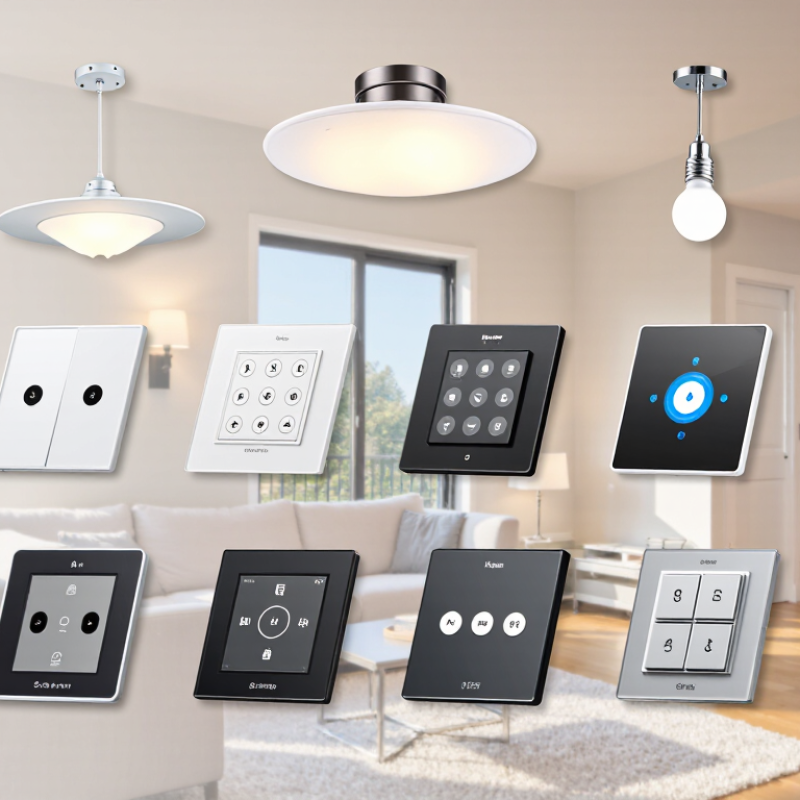
A smart dimmer switch panel controls the brightness of one or more lighting circuits, rather than simply turning them on or off. Behind its touch buttons or sliders, an electronic dimmer adjusts the power delivered to compatible lamps. A connected model can also accept app commands, schedules, or sensor signals. The panel needs the right wiring and load type; some installations require a neutral wire, and not every LED dims smoothly. Check compatibility before installation.
Dimming can make a room feel softer for dinner or brighter for detailed work. It may also reduce electricity use, though savings depend on the lamp, dimming level, and how long lights stay on. The U.S. Department of Energy’s Energy Saver guidance reports that LEDs use at least 75% less energy than incandescent bulbs and can last up to 25 times longer. That is a useful baseline, not a promise that a dimmer alone delivers the same savings.
In practice, a compatible LED should fade without flicker, buzzing, or sudden drop-offs. Test it at low brightness. Still, the result may be imperfect: older wiring, mixed bulb types, or a poorly matched dimmer can cause uneven light. A panel’s smart features are only helpful when its basic electrical compatibility is sound.
What Are the Top 10 Smart Dimmer Switch Panels? - What Smart Dimmer Switch Panels Are and How They Work
| No. | Smart Dimmer Type | How It Connects | Typical Wiring Considerations | Common Controls | Best Suited For | Key Limitation |
|---|---|---|---|---|---|---|
| 1 | Wi-Fi in-wall dimmer | Connects directly to a home Wi-Fi network, usually on a supported frequency band. | May require a neutral wire; check the specific model and switch-box wiring. | Wall control, mobile app, schedules, and—in supported systems—voice control. | Homes seeking app-based lighting control without a separate hub. | Uses the home Wi-Fi network; compatibility and remote features vary by model and app. |
| 2 | Zigbee in-wall dimmer | Communicates over Zigbee to a compatible hub or coordinator. | Neutral-wire requirements vary. Confirm wiring and hub compatibility before purchase. | Wall control, app control through a hub, scenes, and schedules. | Smart-home setups already using a compatible Zigbee hub. | Usually needs a compatible hub; not every Zigbee device works with every hub. |
| 3 | Z-Wave in-wall dimmer | Uses Z-Wave radio to connect with a compatible smart-home controller. | Wiring needs vary by model, circuit, and local electrical setup. | Wall control and controller-based automation, scenes, and remote access. | Homes with an established Z-Wave controller or a preference for a dedicated smart-home network. | Requires a compatible controller, and regional radio frequencies must match. |
| 4 | Thread or Matter-compatible dimmer | May use Thread, Wi-Fi, or another supported connection, depending on the device; Matter enables interoperability with compatible platforms. | Check the device’s connection method, wiring requirements, and required controller or border router. | Wall control and control through compatible smart-home platforms. | New installations seeking cross-platform smart-home compatibility. | Matter support does not mean every feature works in every platform; device and controller support matter. |
| 5 | Hub-based proprietary wireless dimmer | Uses a manufacturer-specific wireless link to a dedicated hub or bridge. | May need a neutral wire or may be designed for certain existing switch-box conditions. | Wall control, hub-connected app control, scenes, and scheduled dimming. | Users who want a coordinated lighting system with a dedicated bridge. | Features and device compatibility depend on the hub and its supported ecosystem. |
| 6 | Three-way smart dimmer kit | Connects the main dimmer and a companion control using the system’s supported wiring or wireless method. | Designed for a light controlled from two locations; circuit wiring and traveler connections must match the instructions. | Dimming and switching from multiple wall locations, plus available app features. | Hallways, stairways, and rooms with two switch locations. | Not every standard three-way switch arrangement is compatible; some kits require a specific companion control. |
| 7 | No-neutral smart dimmer | Connects through a supported wireless protocol or hub, depending on the model. | Intended for certain switch boxes without a neutral wire; load type and minimum load requirements may apply. | Wall control and supported app or automation features. | Older homes where a neutral conductor is not present in the switch box. | LED compatibility can be more sensitive; some setups need an approved bypass or a compatible load. |
| 8 | Multi-button scene dimmer panel | Connects through a supported hub or smart-home network; some buttons may trigger scenes rather than directly switch loads. | May be line-powered, battery-powered, or installed as a control accessory; check the panel design. | Preset lighting scenes, room controls, and—in supported systems—dimmer adjustment. | Rooms where several lighting scenes or smart devices need convenient wall control. | Button functions and supported devices depend on the connected system; some panels do not dim a circuit directly. |
| 9 | Smart plug-in lamp dimmer | Plugs into an outlet and communicates by Wi-Fi, a hub-based protocol, or another supported connection. | No in-wall switch wiring; the plugged-in lamp must use a dimmable bulb and be compatible with the dimmer. | Plug-in control, app control, schedules, and sometimes voice control. | Floor and table lamps where permanent electrical work is not wanted. | Controls only compatible plug-in loads; it is not a replacement for an in-wall dimmer on fixed wiring. |
| 10 | Smart bulb scene panel | Communicates with compatible smart bulbs, often through a hub or wireless network. | Usually avoids changing the branch-circuit dimmer; smart bulbs need continuous power and must not be dimmed by an incompatible wall dimmer. | Bulb brightness, color, and scene selection where supported. | Installations using smart bulbs that need convenient wall-mounted scene controls. | Controls smart bulbs rather than directly dimming a conventional wired lighting load. |
Note: This is a comparison of common smart-dimmer categories, not a ranking of specific products. Before installation, verify the dimmer’s load rating, bulb compatibility, wiring requirements, network support, and local electrical-code requirements. Consult a qualified electrician if you are unsure about the circuit.
FAQS
Count the circuits you want to control. Check the panel’s wiring needs, wall-box depth, and rated load. Small details matter.
No. Confirm that your bulbs are dimmable and listed as compatible. Some low-wattage LEDs may flicker or buzz at certain brightness levels.
Some panels require one, while others may not. Check your home’s wiring and the product instructions before buying. Wire colors alone are not enough.
Physical buttons can be easier to find in a dark hallway. Touch controls may offer flexible scenes. I’d think about everyday use, not just appearance.
Some panels connect through home Wi-Fi; others need a separate hub or wireless standard. Check what still works if internet access drops.
Only if the panel supports that wiring arrangement. Confirm compatibility before purchase, especially when one circuit has multiple switches.
Adjustable minimum brightness, clear labels, and manual control can make daily use easier. Energy monitoring is useful for some households, but not everyone needs it.
Test the bulbs at low and high brightness. If flickering or buzzing continues, stop and review compatibility. Unfamiliar wiring calls for a qualified electrician.
Conclusion
A Smart Dimmer Switch Panel lets you adjust lighting brightness through a wall-mounted control or connected smart devices. Depending on its design, it may use touch controls, buttons, sliders, or app-based settings, and can support features such as schedules, scenes, and voice control. Understanding how the panel communicates with lights and other devices is an important first step, since compatibility can vary by lighting type, wiring, and home network.
Comparing the top options means looking beyond appearance: consider ease of use, dimming performance, supported controls, connectivity, installation requirements, and useful features. Some panels focus on straightforward manual adjustment, while others offer more flexible automation and remote access. To choose the right one, check that it works with your existing lights and electrical setup, review the installation instructions, and decide which controls and smart functions matter most. Careful comparison helps you find a panel that suits your space and everyday lighting needs.